Source-owned UI
Components that leave the nest with you.
Describe what you need, copy the source, and own every line in your tree.
- Components
- 99
- Atoms
- 19
- Marketing
- 66
- Zero deps
- 0
A short path from idea to code.
The catalogue is a working interface for people and agents, not a gallery that ends at the browser.
- 01
Describe
Say what you need
Search by intent, tag, or category. Metadata makes a component findable before you know its name.
- 02
Add
Copy it into your tree
One CLI command drops source files into your project. Dependencies resolve with the install plan.
npx jabkit add button - 03
Own
Shape it for your product
The files are yours. Edit tokens, props, and markup without fighting a locked package.
Start with something real.
Live previews from the registry. Open any cell to inspect source, stories, and install plans.


Findable by intent.
Tags are part of the contract. Filter the catalogue before you know a component name.
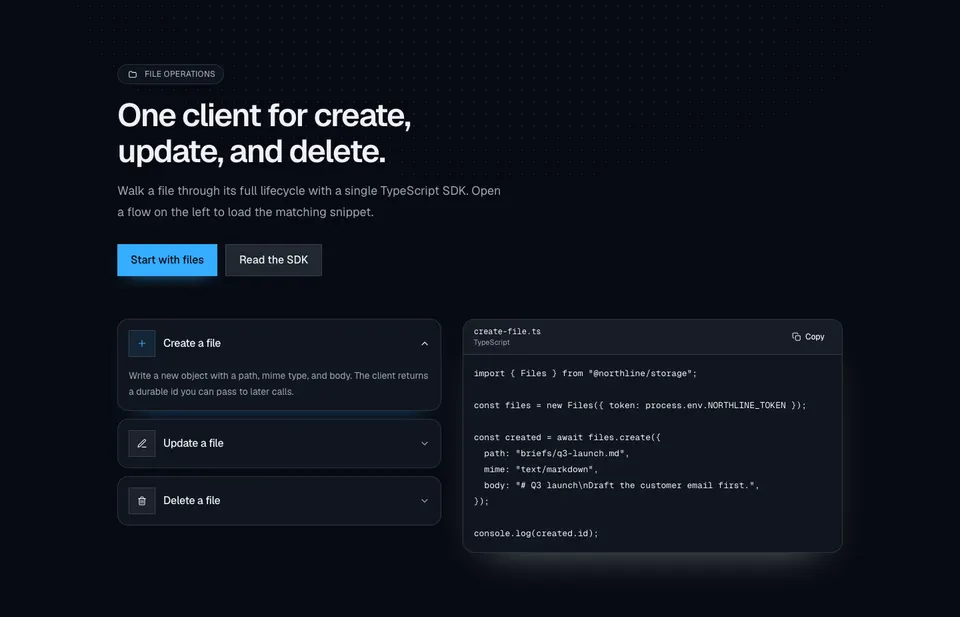
Built for agent handoff.
MCP tools expose search, install plans, and conventions so an agent can resolve a component the same way a human would.
- 01search_components by name, tag, or description
- 02get_install_plan walks registryDependencies
- 03get_conventions returns the project ruleset
curl -X POST /mcp \
  -H "Content-Type: application/json" \
  -d '{
    "tool": "search_components",
    "arguments": { "query": "hero" }
  }'

# then resolve the install order
curl -X POST /mcp \
  -H "Content-Type: application/json" \
  -d '{
    "tool": "get_install_plan",
    "arguments": { "names": ["button"] }
  }'
Light and dark
Both themes, one source.
Every component ships on semantic tokens. The same file renders correctly in light and dark without a second stylesheet.

Own the files. Ship the interface.
Browse the catalogue, copy a component, and keep building without a locked dependency.
Browse components